

Choose a service and install the app its instructions recommend. Disconnect any other VPN before connecting: the apps may interfere with each other.
Amnezia Free Europe on Android
- Download the app from an official source
Download AmneziaVPN for freeAmnezia mirror. On the website, choose “Скачать” (Download), then Android. Follow the APK installation steps below.
- Check APK compatibility
Current APK files target Android 9 and later. Choose the file for your device architecture, such as arm64-v8a, and avoid random APK sources.
- Allow installation and the VPN connection
If Android asks to allow installation from an unknown source, grant it only to the browser or file manager you are using. Accept the system VPN prompt when you start the connection.
- Choose VPN by Amnezia and Europe
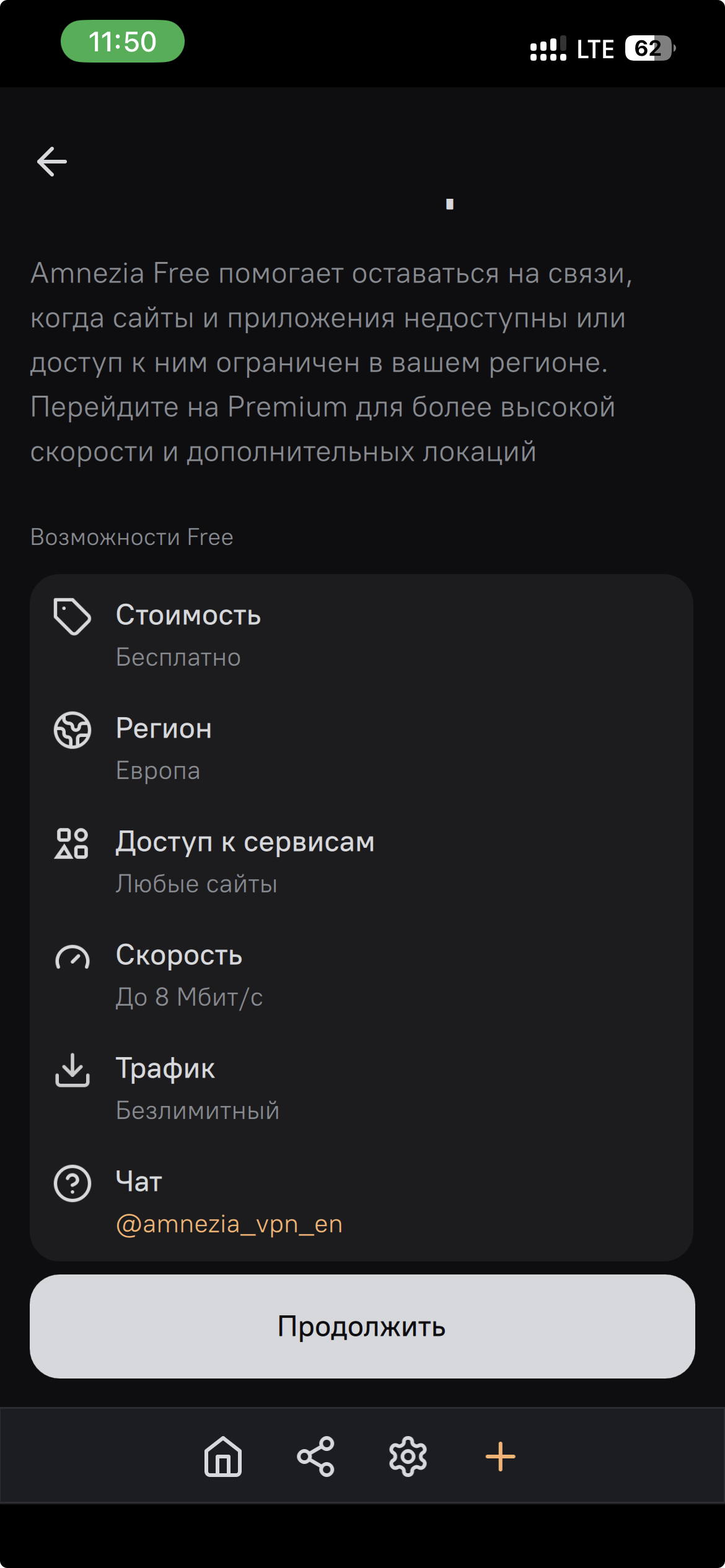
Open the app, tap “Let’s get started” or “+”, select “VPN by Amnezia”, wait for it to load, and choose Europe as shown below. Other Free regions may have different terms.
If Android will not install the app or the connection fails
- If the APK will not install, check that you have Android 9 or later. Make sure the file matches your device architecture and the browser or file manager has permission to install apps.
- If Free connects but websites do not load, open the connection in AmneziaVPN, tap the gear, choose “Reload API config”, and then “Continue”.
- If Free fails only on mobile data, check whether your carrier is applying mobile-network restrictions.
Geodema on Android
Open the Geodema dashboard and choose the free plan. Follow the dashboard instructions to install a compatible app and import the configuration.